shivam@portfolio:~$ cat README.md
shivam@portfolio:~$ cat facts.yml
# At a glance
- role :
- Solo — design, build and release
- when :
- Oct 2026 – Present
- context :
- Personal project
- stack :
- Chrome Extension · Go · whisper.cpp · MIT
- latest release:
- github.com/SHIVAM-SHARMA-766/dohra/releases/latest
- Go companion running whisper.cpp for live local transcription, including Hinglish in Roman script.
- Signed releases with one-click self-update, subtitles, search across transcripts and bookmarks.
shivam@portfolio:~$ cat the-story.md
# The story
Dohra comes from the Hindi dohrana, "to revise". Live classes move faster than anyone can take notes; Dohra keeps the whole class so you can go back to it.
What it does
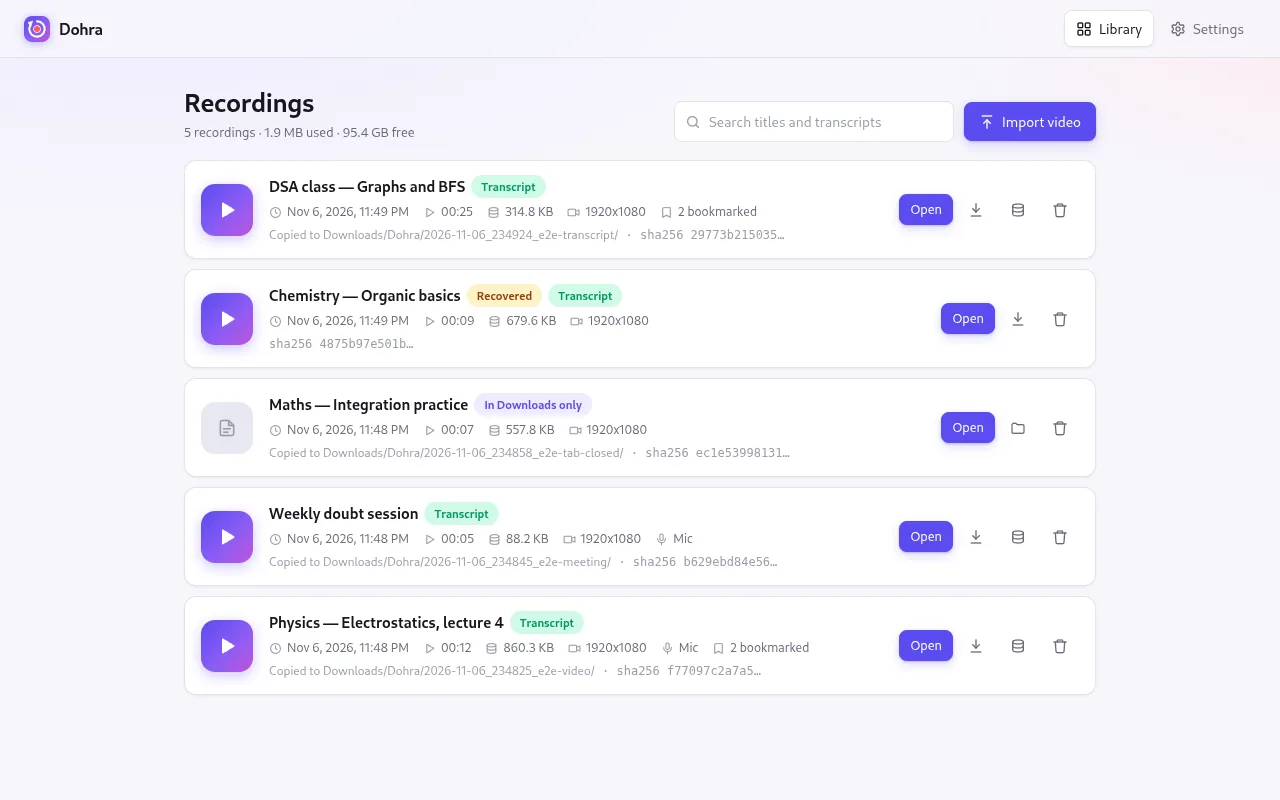
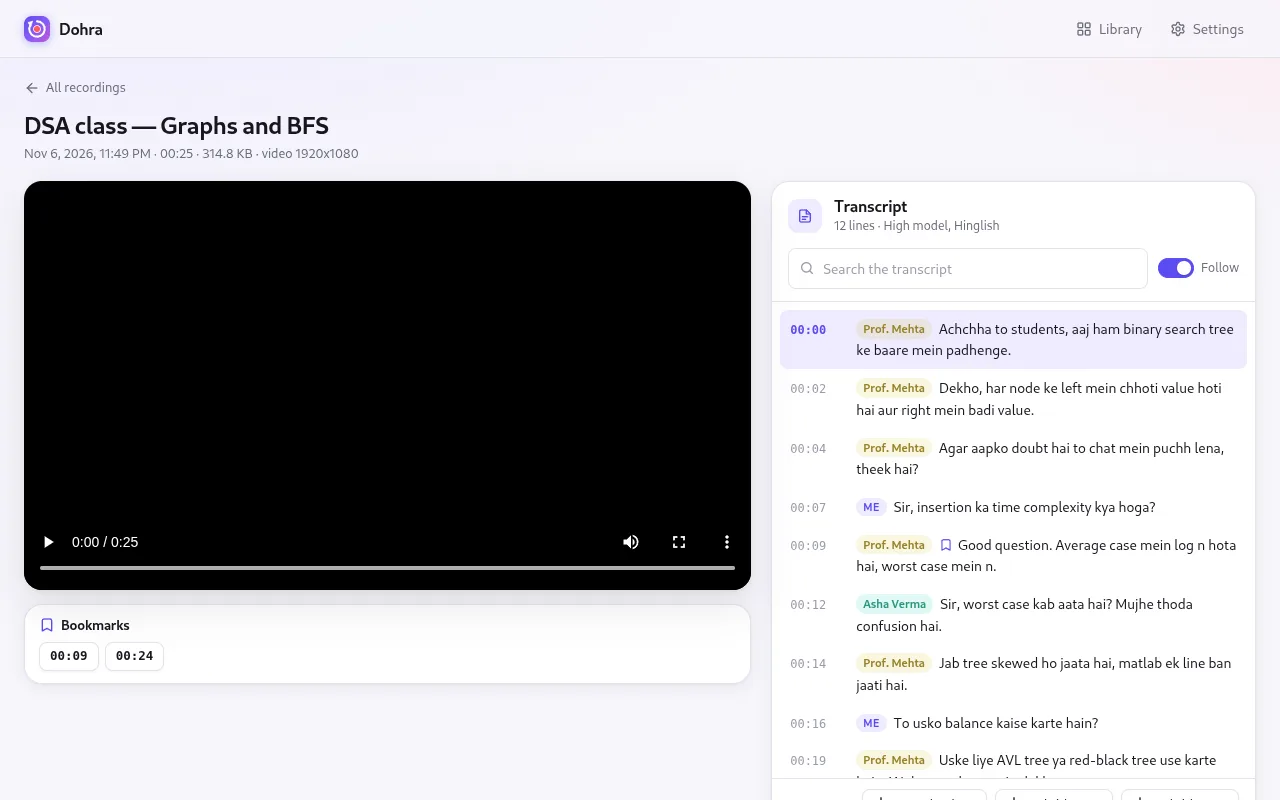
Dohra records any online class or meeting in Chrome, Edge or Brave, on your own computer, with a searchable Hinglish transcript that knows who said what.
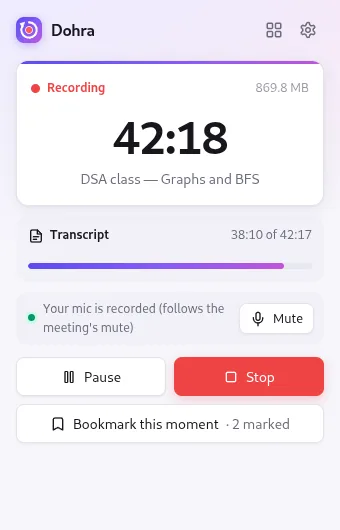
- Private by design. Recordings and transcripts are written to your own disk. No server, no account, nothing uploaded.
- No bot in the meeting. It records what the browser already plays, so nobody sees an extra attendee. Works on Google Meet, Microsoft Teams, Zoom's web client, YouTube Live or a course's own player.
- Hinglish transcripts. Hindi in Roman script ("theek hai"), English as English, made on your computer while the class runs.
- Bookmarks and search. Press Alt+Shift+B during class to mark a moment; one search box finds a word in any recording and plays from that line.
Shipping it properly
Dohra is MIT licensed and released on GitHub. Every download is checked against a pinned SHA-256, updates must be signed, and Settings can check for and install a new version in one click.
shivam@portfolio:~$ ls -la
shivam@portfolio:~$ ls -la
# Other projects
total 3
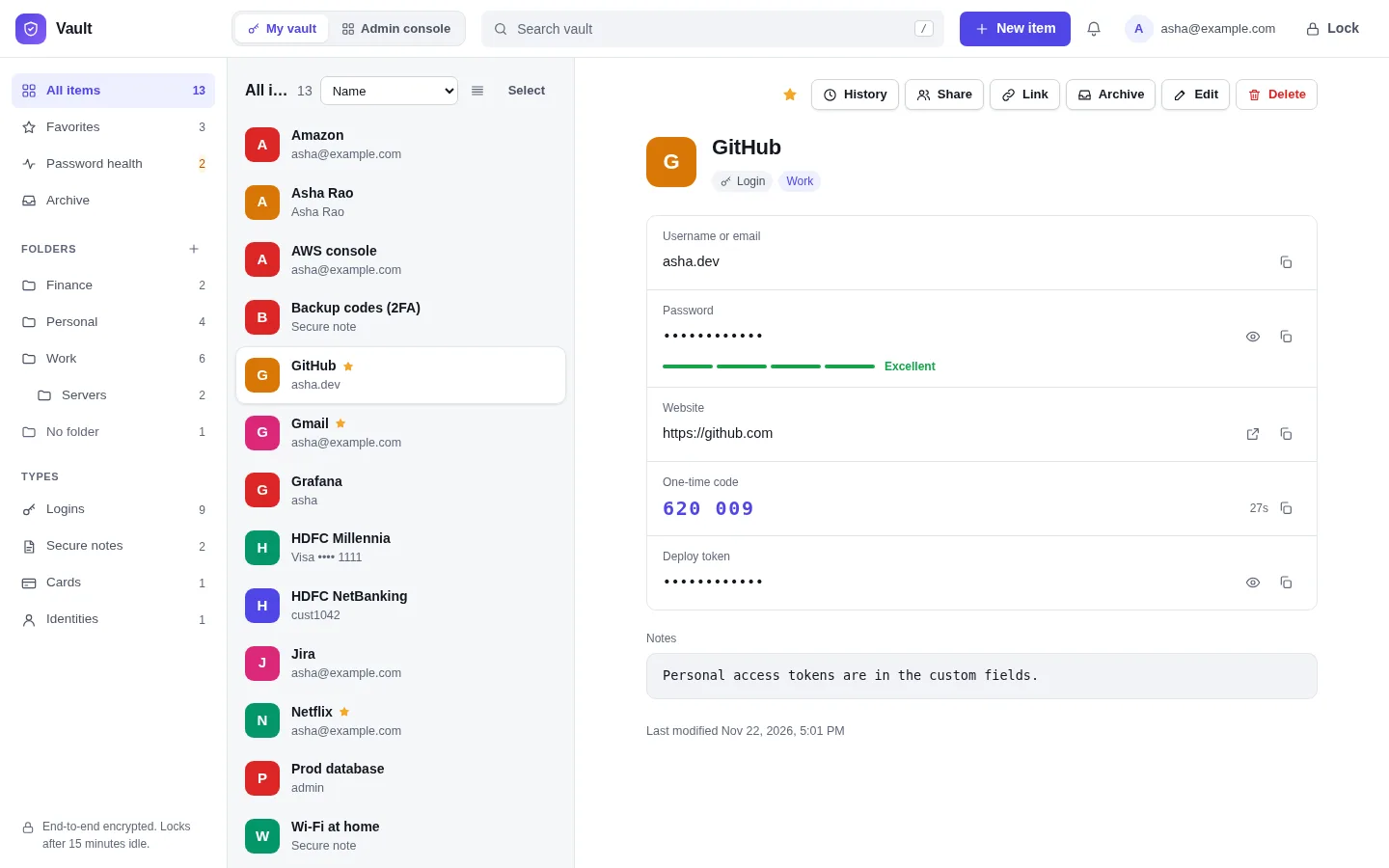 Vault — zero-knowledge password manager/A password manager you run on your own server. Everything is encrypted in the browser; the server stores ciphertext it holds no key for. Live on an always-free OCI instance for $0 a month.[ view project → ] +15 XP
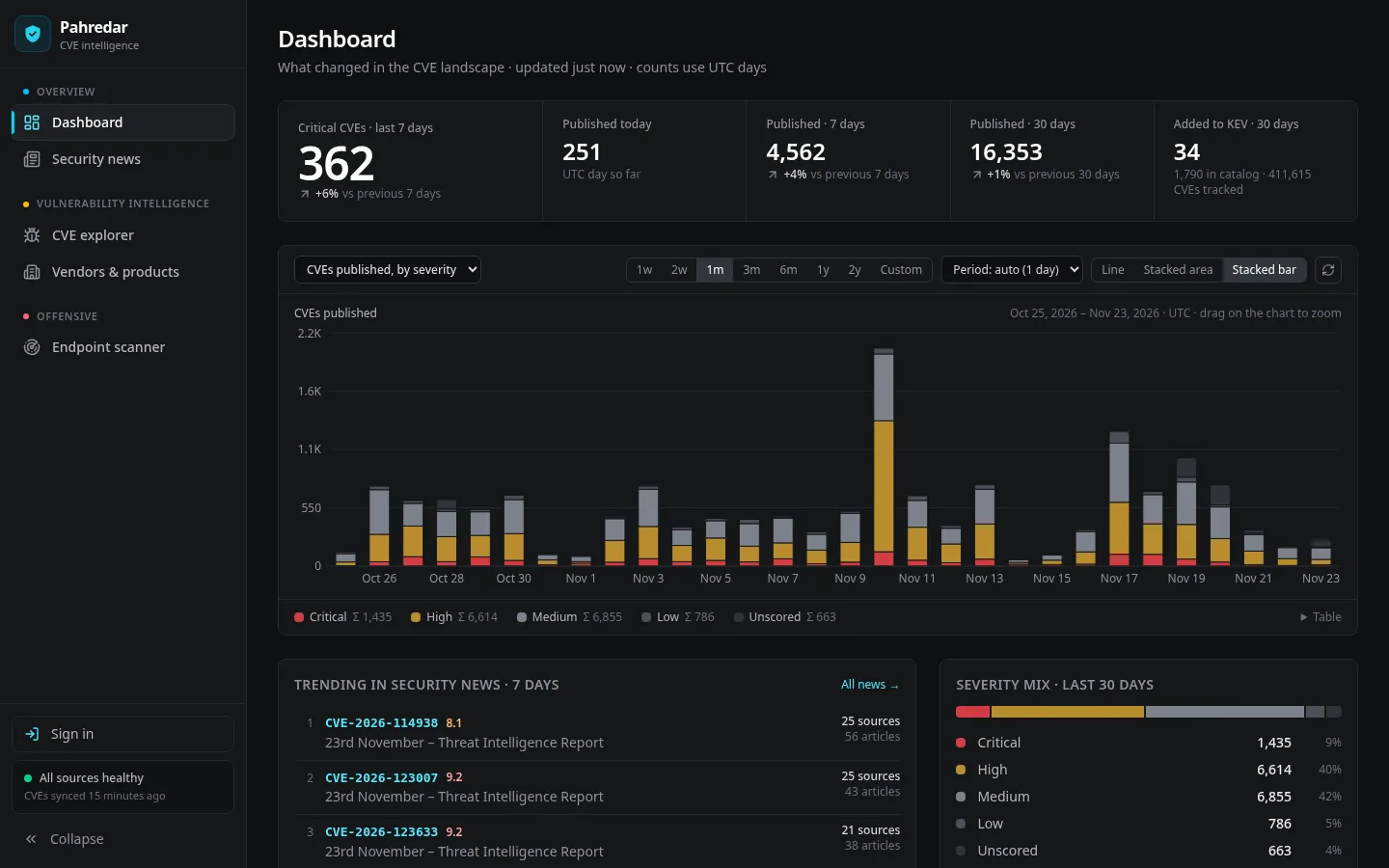 Pahredar — self-hosted security intelligence/A self-hosted CVE intelligence platform: a local copy of every published CVE, enriched with exploitation, exploit and detection data from free public sources, kept current hourly, plus a security news feed and an endpoint scanner.[ view project → ] +15 XP
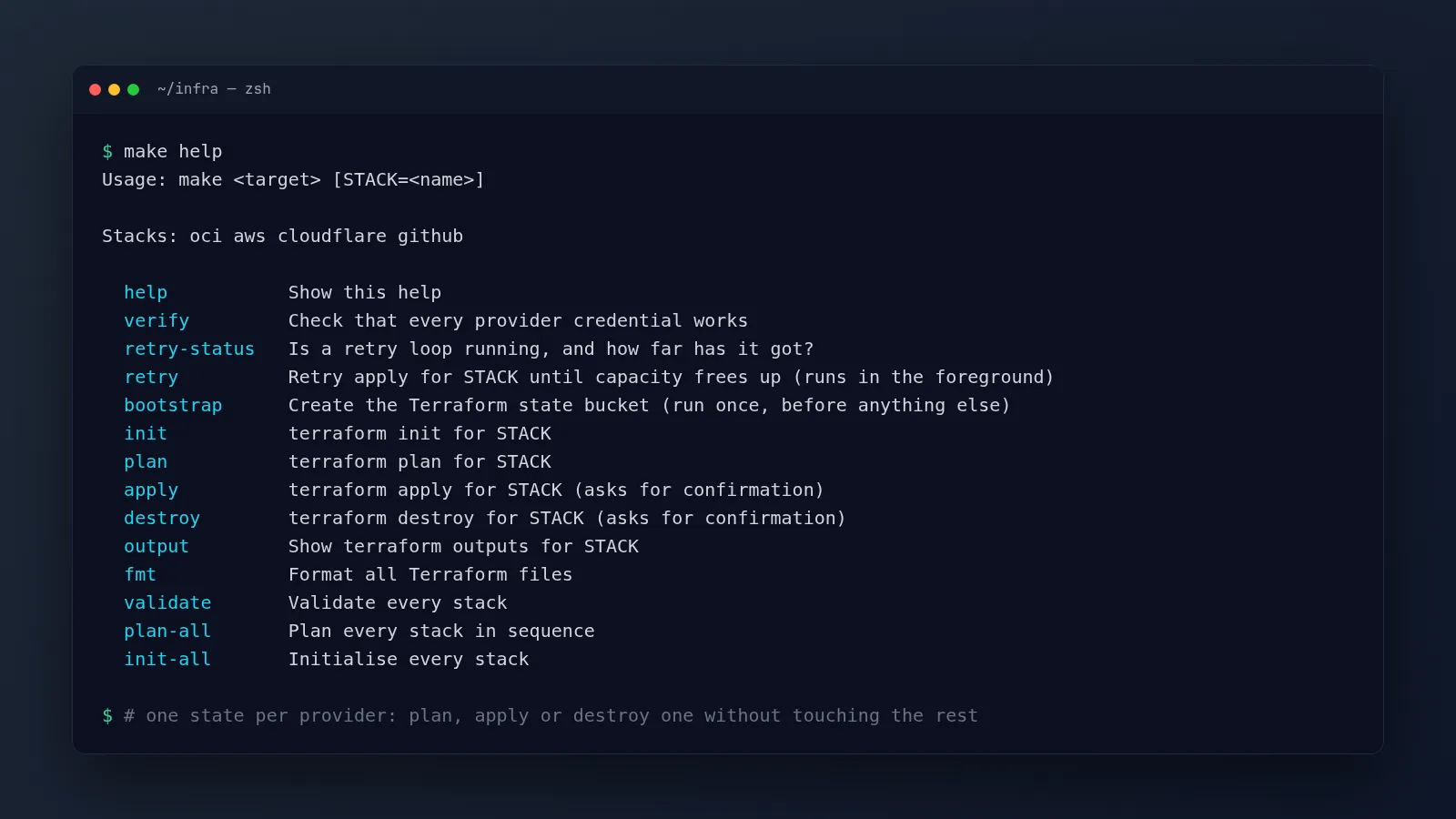 Multi-cloud Infrastructure as Code/Terraform monorepo with isolated state per provider, a single Makefile entry point and remote state in OCI Object Storage.[ view project → ] +15 XP